Understanding Network Devices
In today’s world, the Internet has become as essential to our lives as food and water. Understanding how networks work is genuinely fascinating. This short article will break down the key devices needed to set up a network, explained in simple terms.
Host
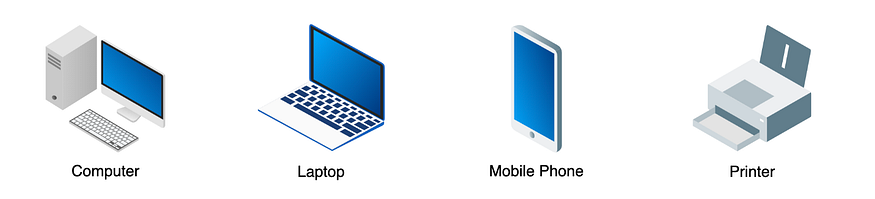
A host is a device which sends or receives the data. Examples are PCs, Laptops, Mobile Phones, Printers etc.
IP Address
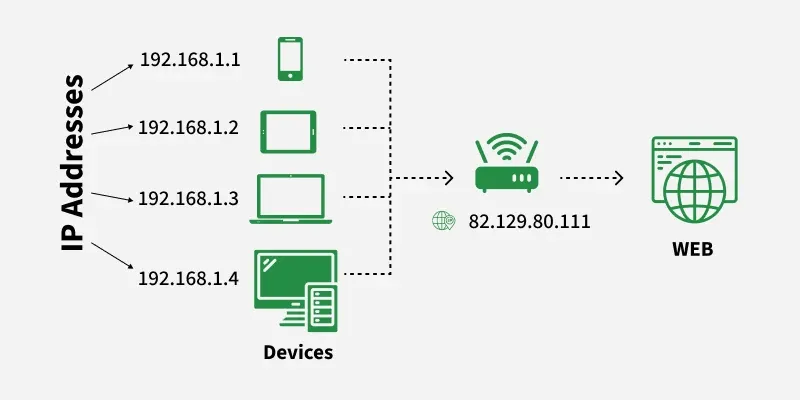
An IP Address (Internet Protocol Address) is a unique numerical label assigned to each device connected to a computer network that uses the Internet Protocol for communication. It serves two main purposes:
- Identifying a device on the network.
Locating the device to enable communication with other devices over a network like the Internet.
Components of an IP Address
Network Portion: Identifies the network to which the device belongs.
Host Portion: Identifies the individual device on the network.
Subnet Mask (for IPv4): Defines which part of the IP is network and which part is host.
Example: IP 192.168.1.10 with subnet mask 255.255.255.0**Network ID: 192.168.1.0Host ID: 10
Types of IP Address
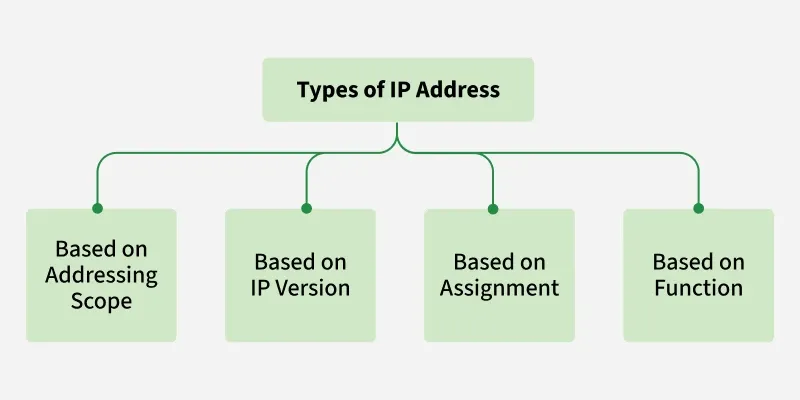
IP addresses can be classified in several ways based on their structure, purpose, and the type of network they are used in. Here's a breakdown of the different classifications of IP addresses:
IPv4
This is the most common form of IP Address. It consists of four sets of numbers(octets) separated by dots. This format can support over 4 billion unique addresses. Each octet represents eight bits, or a byte, and can take a value from 0 to 255. This range is derived from the possible combinations of eight bits (28 = 256 combinations).

IPv6:
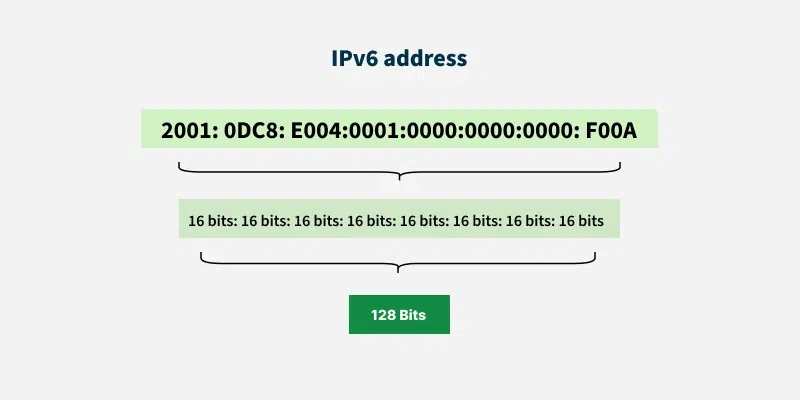
IPv6 addresses were created to deal with the shortage of IPv4 addresses. They use 128 bits instead of 32, offering a vastly greater number of possible addresses. These addresses are expressed as eight groups of four hexadecimal digits, each group representing 16 bits. The groups are separated by colons.
Network
A computer network is a group of interconnected devices that are capable of communicating with each other.
Here is a simple network with 2 hosts. These hosts are connected via a wire to communicate.

If these hosts are in the same room, the data transfer will be faster.
What if these hosts are situated in separate buildings, far away from each other? one host is in a building and another in the next building? In this case, the signal gets decay. Hence, hosts cannot share data. In this case, you need a device called Repeater.
Repeaters
The sole purpose of Repeaters is to amplify (or regenerate) the signal. They are also known as Signal Boosters. When the hosts are far away, Repeaters are used to regenerate the signal, which eliminates or reduces the decay. There are several types of Repeaters: Analog, Digital, Wired and Wireless.

Hub
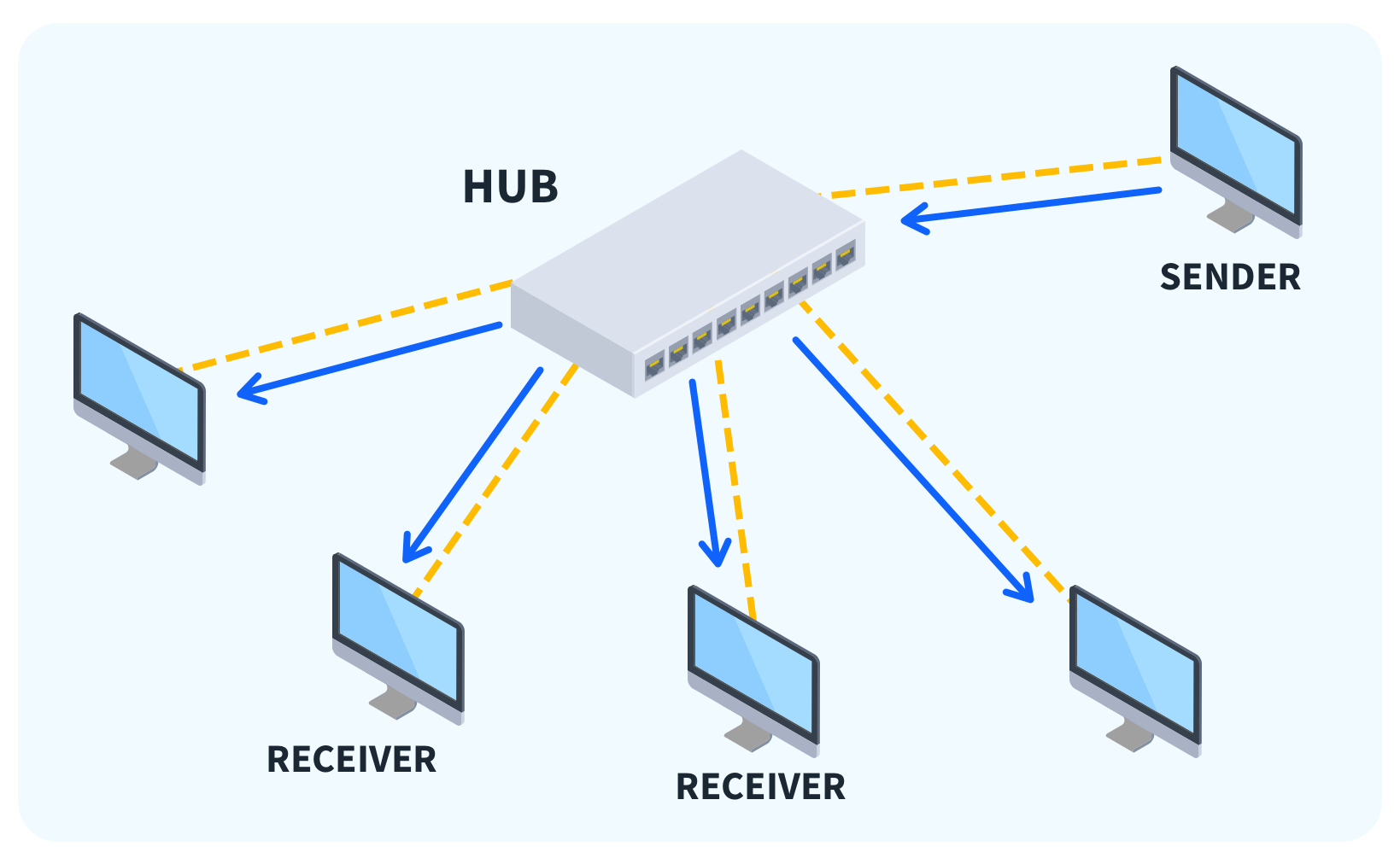
A hub is a basic networking device that connects multiple devices in a network. Think of it like a simple traffic director—it receives data from one device and broadcasts it to all the other devices connected to it. Hubs are simple and cheap, but they don’t know which device actually needs the data, so everything gets sent to everyone.
Bridge
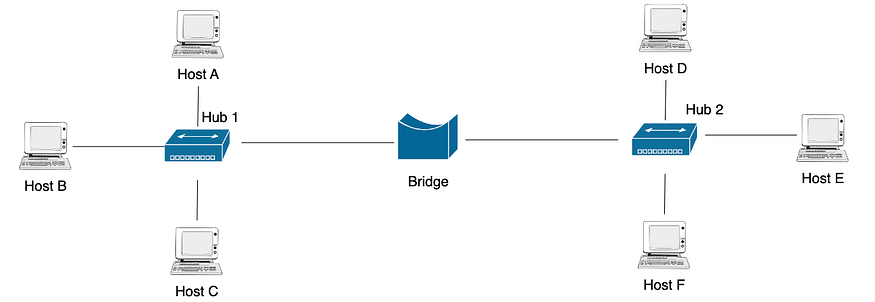
A bridge is a network device that connects two or more smaller networks, allowing them to work together as a single network. Unlike a hub, a bridge is smart—it only sends data to the part of the network where it’s needed, helping reduce unnecessary traffic.
Switch
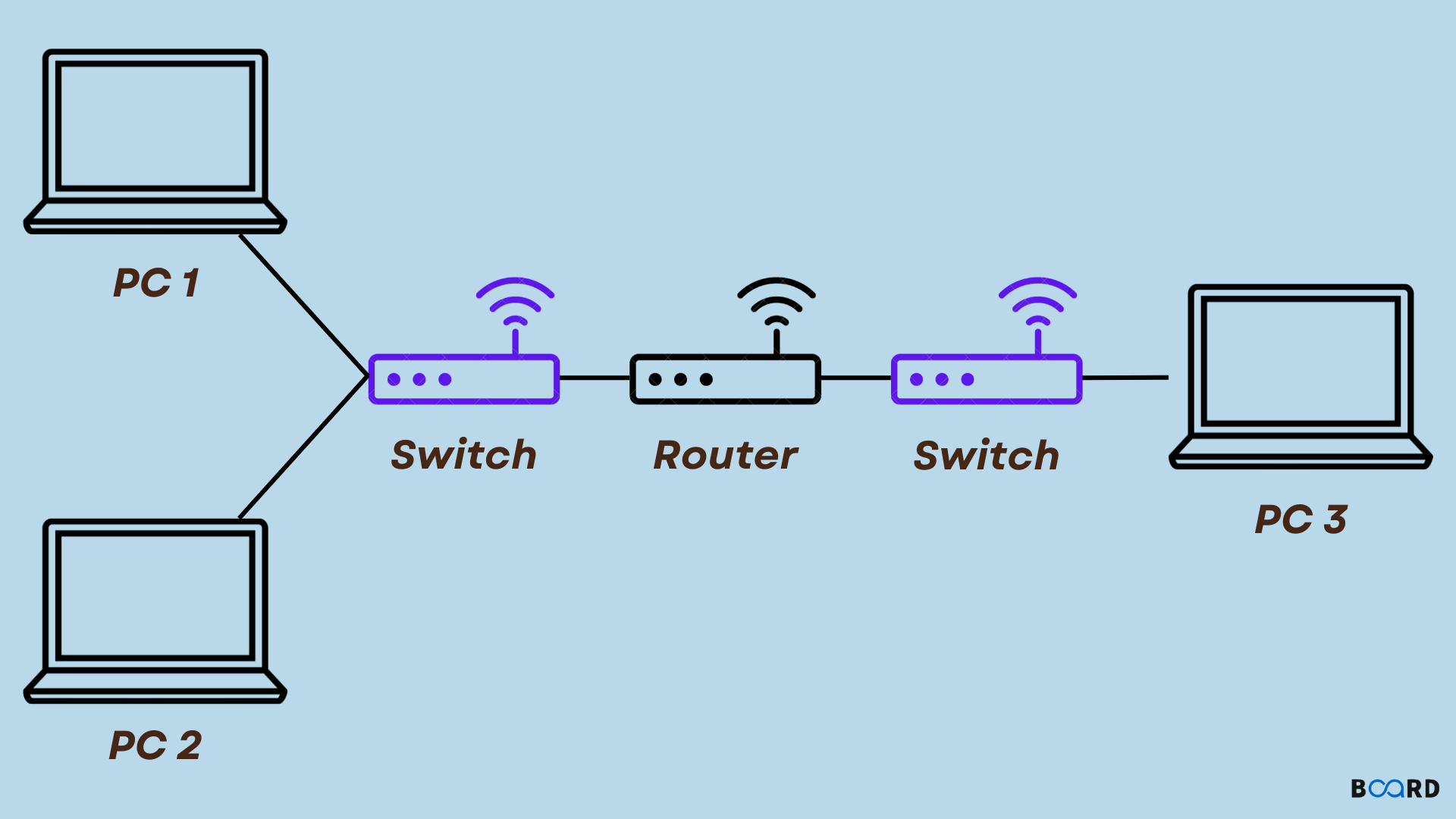
A switch is a network device that connects multiple devices and directs data only to the device it’s meant for. Unlike a hub, it doesn’t broadcast to everyone, which makes the network faster and more efficient.

Router
A router is a device that connects different networks, like your home network to the Internet. It directs data to the right destination, making sure information gets from one network to another efficiently.
What is a Firewall and why security lives here?
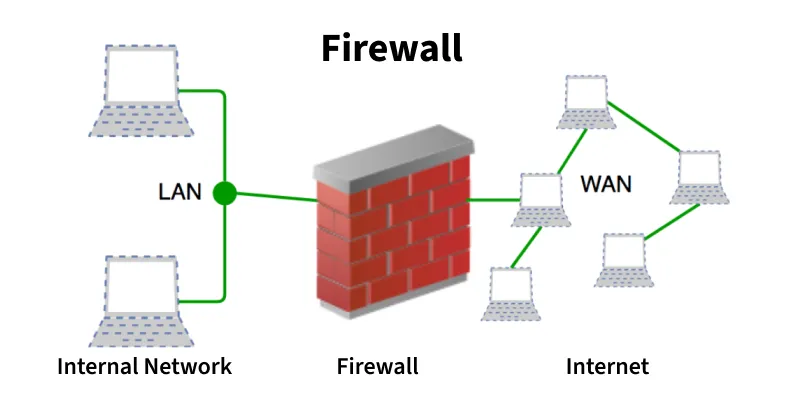
A firewall is like a security guard for your network. It monitors incoming and outgoing data and decides what’s safe to let in or out. By blocking unwanted traffic and potential threats, the firewall keeps your network and devices protected. That’s why network security “lives” here—it’s the first line of defense against attacks.
What is a Load Balancer and why scalable systems need it?
A load balancer is a network device (or software) that acts like a traffic manager for servers. Imagine a popular website receiving thousands of requests at the same time—if all the requests went to just one server, it would quickly get overloaded and slow down or crash. The load balancer distributes incoming traffic evenly across multiple servers, making sure each server handles a manageable amount.
By doing this, a load balancer helps systems stay fast, reliable, and scalable. It allows websites and applications to handle more users, improve performance, and ensure that even if one server fails, the others can continue serving requests without interruption. In short, any system that expects growth or heavy traffic needs a load balancer to keep things running smoothly.

How These Devices Work Together:
In a real-world network, all these devices play different but connected roles to make communication smooth and secure:
Host Devices: These are the computers, smartphones, or IoT gadgets that generate and use data. They’re the “users” of the network.
IP Addresses: Every host has an IP address, which acts like its home address so data knows where to go and where it came from.
Hubs and Switches: Hubs connect devices in a simple way, broadcasting data to everyone, while switches are smarter—they send data only to the device it’s meant for, making the network faster and more efficient.
Bridge: Bridges connect smaller networks together, letting them communicate as one bigger network while reducing unnecessary traffic.
Router: Routers connect different networks, such as your home network to the Internet. They make sure data reaches the right destination across networks.
Firewall: Firewalls act as security guards, monitoring and controlling which data can enter or leave the network, protecting against threats.
Load Balancer: When a system has many users, the load balancer distributes traffic evenly across multiple servers to prevent overload, ensuring the network stays fast and reliable.
In practice, data from your device might first go through a switch to reach the local network, then pass through a router to reach the Internet. Along the way, the firewall checks it for security, and a load balancer ensures busy servers don’t get overwhelmed. Bridges connect different parts of the network, and IP addresses make sure every message reaches the correct host.
All these devices together create a network that’s organized, secure, efficient, and ready to scale, just like a well-managed city with roads, traffic lights, and security checkpoints.